
How to Use Diane
Getting started
- Open the page at diane.yak.ad and allow microphone access.
- Click the microphone button or press the shortcut shown by the app.
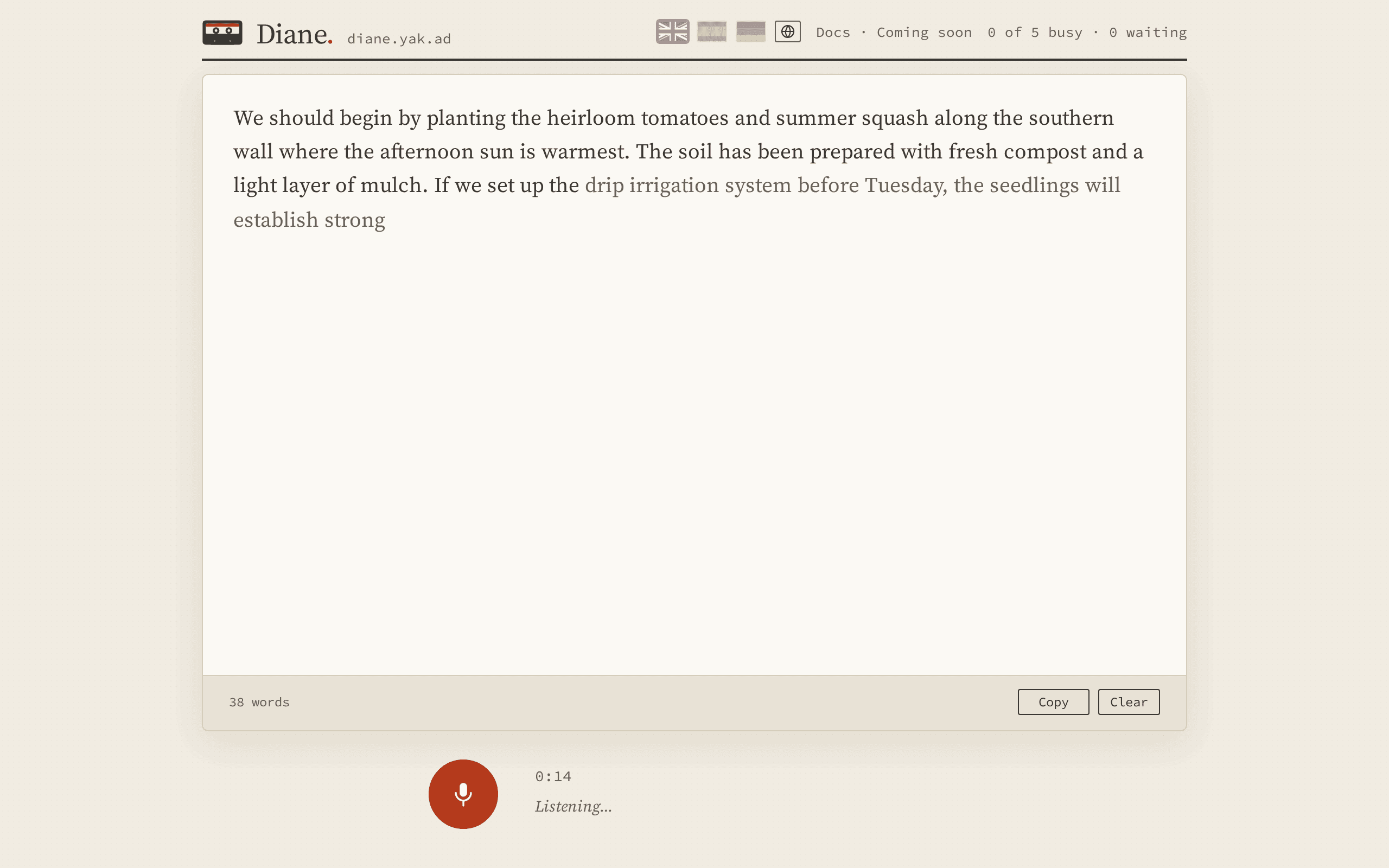
- Speak naturally. A grey draft appears within a few seconds and updates as you speak.
- Press stop (or the shortcut) when you are done. The final text arrives a couple of seconds later.
Grey draft vs. final text
The grey text is a quick draft that appears every few seconds while you speak. As each chunk of roughly 25 seconds is fused, polished text replaces the draft; when you press stop, the final text arrives a couple of seconds later.
Amber underlines
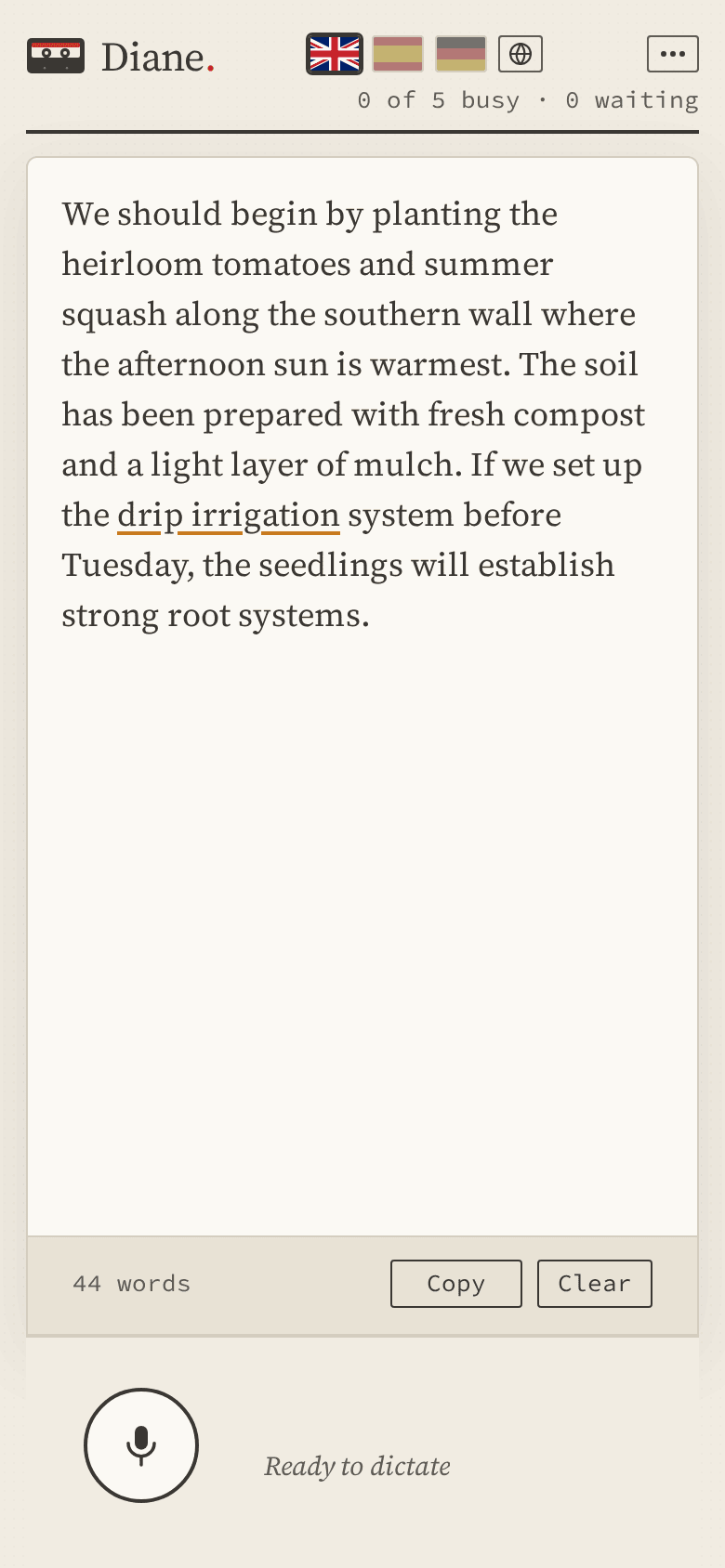
An amber underline marks words the speech recognition models disagreed on. Check them first; editing a word removes its underline. Underlines appear when the server provides them, as this feature is rolling out.
Editing, Copy, and keyboard hints
You can edit text directly in the document at any time.
Keyboard shortcuts
- Space: Toggles dictation when the editor is not focused.
- Ctrl/Cmd+Enter: Also toggles dictation (works whether the editor is focused or not).
- Esc: Cancels a dictation in progress.
Buttons
- Copy: Copies the current text to your clipboard.
- Clear: Clears the editor.
- Retry: Appears in the status line when a transcription or connection error occurs.
Font steps and autoscroll
The editor font gets slightly smaller as the text grows, in up to three steps, so you can see more of your document at once.
During dictation, autoscroll keeps the newest words in view. If you scroll up to read earlier text, autoscroll pauses until you scroll back down.
Languages
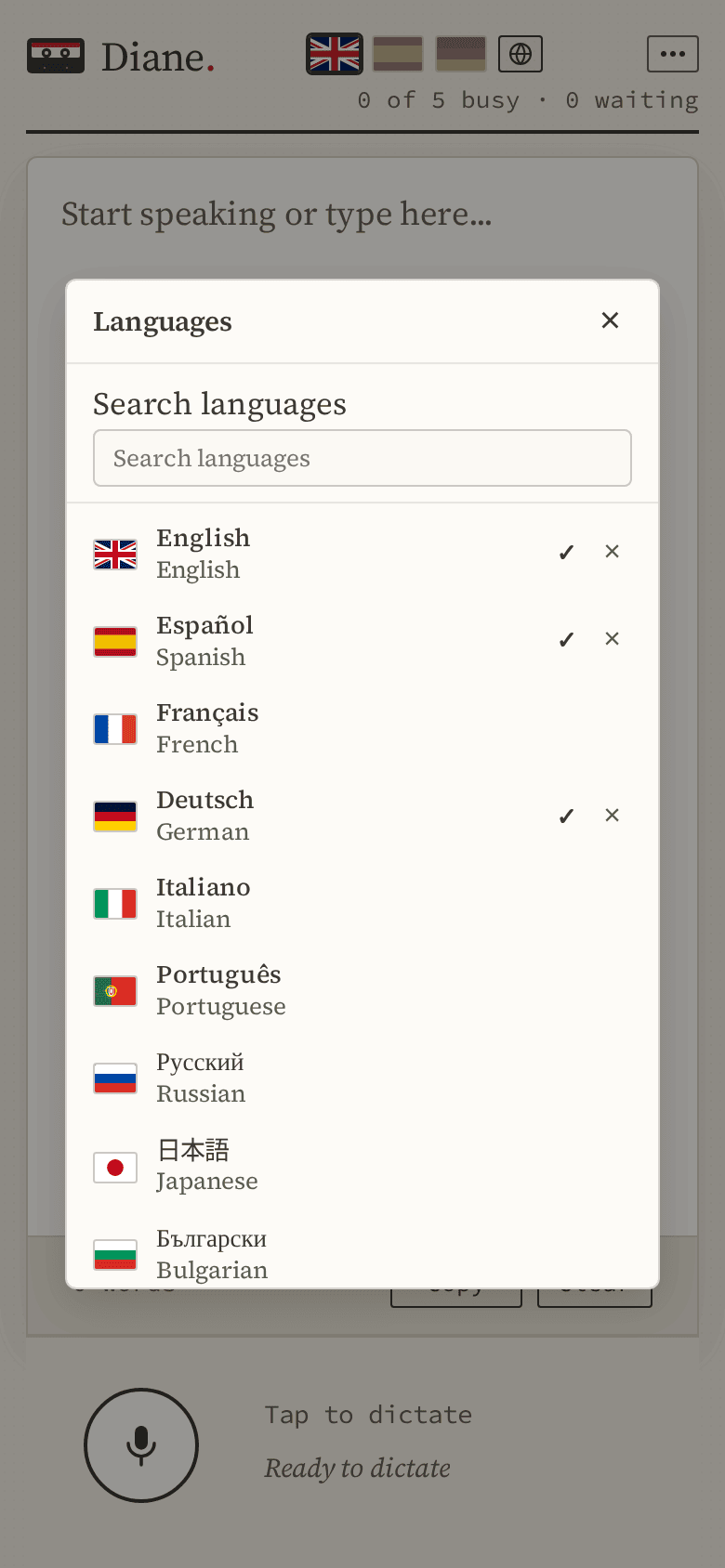
Diane supports these languages: English, Bulgarian, Catalan, Croatian, Czech, Danish, Dutch, Estonian, Finnish, French, German, Greek, Hungarian, Italian, Japanese, Latvian, Lithuanian, Polish, Portuguese, Romanian, Russian, Slovak, Slovenian, Spanish, Swedish and Ukrainian. Tap the globe in the top-right corner to add up to three to the header, then turn on the ones you speak. With more than one language on, Diane detects which one you're speaking at the start of each dictation.
With two or more flags on, the grey draft starts after a short pause while Diane works out which language you're speaking.

Limits
- Up to 10 minutes per dictation.
- A few people can dictate at a time. If the server is busy, the app says so and retries by itself.
- Your text is kept in this browser until Clear.
Browsers
Desktop Chrome, desktop Firefox and mobile Chrome are tested.
Tips
- Speak naturally.
- Punctuation is automatic.
- Short pauses are fine.
Troubleshooting
- Microphone permission: Check your browser's site settings to ensure microphone access is allowed.
- Server busy: If the server is busy, the app displays a notice and retries automatically.
- Nothing appears: Speak and check the level meter by the mic. If it does not move, check your system microphone input.
- A recording made while the server is unavailable waits and is transcribed later.